Prompt Engineering for Dummies in 2026
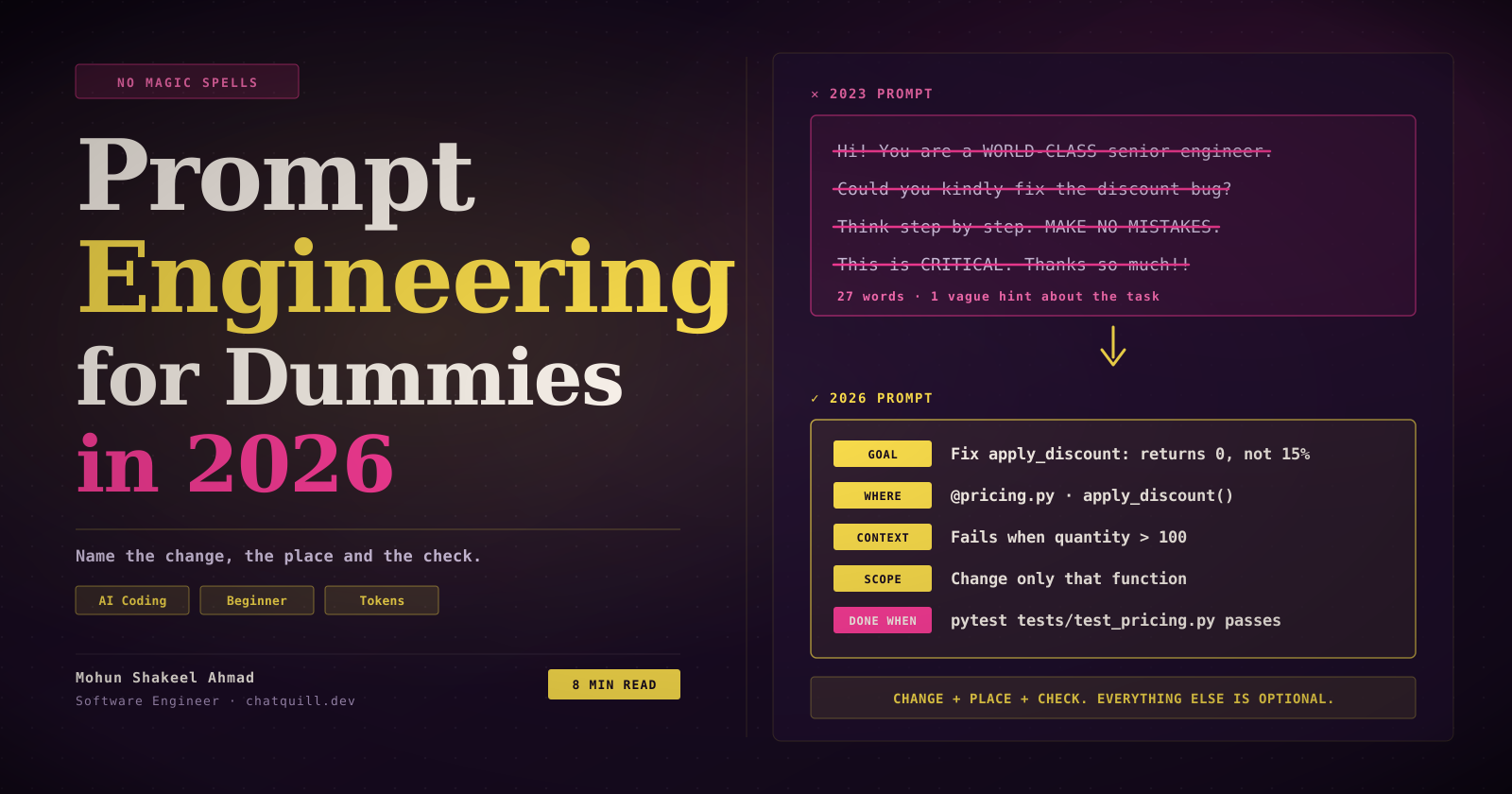
“You are a world-class senior engineer with 20 years of experience. Think step by step. This is CRITICAL. Make no mistakes. Thank you so much!” — a prompt that contains zero information about the actual task.
Somewhere around 2023, prompt engineering became a collection of magic spells. Tell the model it is an expert. Shout the important parts. Ask it to think step by step. Be polite, or it will remember you when the robots take over.
Most of those spells were written for models that no longer exist. The tools changed. The folklore did not.
If you are a developer who just started using Claude Code, Cursor, Copilot or anything similar, here is the good news: prompting in 2026 is less mystical than the internet makes it sound. It is closer to writing a decent ticket for a colleague than to casting a spell.
This article uses Claude Code for the concrete examples because that is what I use. The principles work in any AI coding tool.
The One Sentence Version
A good prompt names the change, the place and the check. Everything else is optional.
The change: what should be different when the AI is done. The place: which file and which function. The check: how either of you will know it worked.
That is the whole article. The rest is detail and a few things to stop doing.
The Spells That Stopped Working
Each of these costs you words and buys you nothing. Some of them actively make things worse.
| Cut this | Why | Write this instead |
|---|---|---|
| ”Hello”, “Hope you’re well”, “Could you kindly…” | Adds words, changes nothing | Start with the verb: “Add…”, “Fix…”, “Rename…” |
| A separate “thanks!” or “great job” message | Every message is a full turn that resends the whole conversation | Send the next task instead |
| ”You are a world-class software architect” | A Wharton study across six models found expert personas do not reliably improve accuracy | Project facts: the pattern to follow, the version, the constraint |
| ”CRITICAL”, “YOU MUST”, “NEVER EVER”, all caps | Current models overreact to forceful wording | A plain instruction with a reason |
| ”Think step by step”, “think really hard” | The model already decides how much to reason | Your tool’s effort setting |
| ”Make no mistakes”, “be careful”, “write clean code” | Gives the model nothing to check against | A check it can run: “Done when the tests pass" |
| "Can you suggest some changes to…?” | It will suggest, not edit. Then you pay for a second turn | ”Change…”, “Refactor…”, “Add…" |
| "Fix the bug”, “improve this”, “clean it up” | The model has to explore just to find out what you mean | The symptom, the file, and what “fixed” looks like |
| A long list of “don’t do X” | Saying what to do works better than saying what to avoid | ”Change only this function” beats five “do not touch” lines |
A few of these deserve a second look.
The expert persona. This one refuses to die. Wharton’s research tested it across six models and found that telling a chatbot it is an expert does not reliably make its answers more accurate. What does help is telling it facts about your project. “Follow the pattern in OrderHandler” is worth more than any job title you can invent.
The shouting. Older models needed a nudge to pay attention. Newer ones pay attention fine, and Anthropic’s own prompting guide now tells you to dial the forceful wording back because models overreact to it. Write the instruction plainly and add the reason: “Keep the public method signature; other modules call it.”
“Make no mistakes.” My personal favourite. It is the engineering equivalent of telling a junior developer “just don’t write bugs.” There is nothing to act on. If you want fewer mistakes, give the model a way to catch its own: a test, a lint command, an expected output.
The politeness question. Direct is not the same as rude. Research on tone and accuracy is mixed, with studies pointing in both directions, so there is no reason to be harsh either. Just skip the filler.
Could a colleague with no context do this from the prompt alone? If not, add the missing detail.
— The only test you need
The Shape of a Good Prompt
Five parts. Skip any that do not apply.
| Part | What it answers | Example |
|---|---|---|
| Goal | What should change? Verb first | Add a null check for customer_id |
| Where | Which file and function? | @billing/quotes.py, build_quote |
| Context | Symptom, error, or pattern to copy | TypeError at line 42 when the order has no customer |
| Constraints | What must not change? | Do not touch other functions |
| Done when | What check proves it? | pytest tests/test_quotes.py passes, with a new test for the null case |
Put together:
In @billing/quotes.py, build_quote throws a TypeError at line 42
when order.customer_id is None.
Add a null check and return an empty quote in that case.
Do not change other functions.
Done when: pytest tests/test_quotes.py passes with a new test for the null case.
Five lines. No greeting, no persona, no capital letters. A stranger could pick this up and do the work, which is exactly the point.
The part people skip most is Done when. It is also the one that matters most. A model with a runnable check can verify its own work and fix what it got wrong before it ever comes back to you. A model without one hands you something that looks right and leaves the verifying to you.
And if you could describe the diff in one sentence, one sentence is the whole prompt. “Rename acc_list to accounts in @services/accounts.py” needs no template.
Bad vs Good
Same tasks, two ways of asking.
Bug fix
The discount is wrong, please fix it and make no mistakesIn @pricing.py, apply_discount returns 0 when quantity is over 100; expected 15%.
Write a failing test first, then fix.
Done when pytest tests/test_pricing.py passes.New feature
Build a component to show contactsCreate a React component ContactList for the account page.
Show name, email and phone in a table, loaded from GET /api/accounts/:id/contacts.
Follow @components/OrderList.jsx.
Done when Jest passes for data, empty list and error states.Refactor
Refactor this class to be cleanerIn @services/cases.py, extract lines 40 to 95 of route_case into a private function assign_queue.
No behaviour change. Keep public signatures.
Done when tests/test_cases.py passes unchanged.Tests
Write tests for this file, make sure coverage is 100%Write Jest tests for @utils/discountCalculator.js: 0%, 100%, and invalid input throws.
Mock the API call. Assert results, not just coverage.
Done when npm test -- discountCalculator passes.Understanding code
Explain this file to meIn @billing/quotes.py, what does apply_tiered_pricing do when the price entry is missing?
Answer in 5 lines.Debugging from a log
Why is this failing? (pastes 3,000-line log)@logs/app.log: report only the first exception and the 5 lines before it.Notice what the good versions have in common. None of them is clever. They are just specific: a file, a symptom, a boundary, a check.
Context Is the Bill
Here is the part nobody explains to beginners.
Everything in the conversation is resent on every turn.
The model does not remember your chat. Every time you press enter, the tool sends the entire conversation again: your prompts, its replies, every file it read, every log you pasted. You pay for all of it, every turn. And a context full of old, irrelevant material makes the answers worse, not just more expensive.
So half of prompting well is deciding what the model does not see.
- One task per session. Finished the bug fix and moving on to something unrelated? Start fresh. In Claude Code that is
/clear, and it is free. - Paste 20 lines, not the whole log. Thousands of tokens for the 20 lines that matter is a bad trade. Filter first.
- Point at the file.
@path/to/file.pyloads exactly one file. “Find where the discount logic lives” makes the model search, and searching means reading. - Use the cheap model for cheap work. A rename does not need the most powerful model on its highest thinking setting. Small model for typos and renames, mid-tier for everyday coding, the big one only on purpose for architecture and large refactors.
- Batch related small edits into one message instead of three.
- Stop wrong turns immediately. The moment the model heads the wrong way, interrupt it. Letting it finish politely costs you the full wrong answer plus the correction.
And the big one: put standing rules in a file, not in every prompt. If you find yourself typing “be concise” or “only run the test I name” for the tenth time, it belongs in your project’s instruction file (CLAUDE.md in Claude Code; other tools have their own equivalent).
- Be concise. No preamble, no recap. I read the diff.
- Change only what I ask. No refactoring, extra comments or new files beyond the task.
- Run only the test file I name, never all tests.
- If a test looks wrong, tell me instead of working around it.
- Ask before reading more than 5 files.
Keep that file short. It is loaded on every single turn, so every line in it is a line you pay for forever. Under 60 lines is a good ceiling.
Size the Prompt to the Task
Not everything needs the five-part treatment.
- One-line diff: one sentence. No plan, no template.
- Several files or an unclear approach: ask for a plan first and approve it before any code is written. Claude Code has a plan mode for this (Shift+Tab).
- Large or fuzzy feature: flip it around. “Interview me about this feature, then write SPEC.md.” Then start a fresh session and build from the spec.
That last one is underrated. When you do not know exactly what you want, the best prompt is one that makes the model ask you the questions.
Templates You Can Steal
Replace the <placeholders>. Delete lines that do not apply.
Bug with a stack trace
@<file> throws <error> at line <n> when <condition>.
Stack trace (top 5 lines): <paste>
Find the root cause; do not suppress the error.
Write a failing test that reproduces it, then fix.
Done when <test command> passes.
New function or class
Create <name>(<arguments>) in <file>.
Behaviour: <what it does>.
Follow the pattern in @<similar file>.
Cases: <normal case>, <empty case>, <error case>.
Done when <test command> passes. Create the tests too.
Cause unknown (investigate first, cheaply)
Symptom: <what happens>. Expected: <what should happen>. Seen in: <where>.
Investigate <folder or files> only.
Return the 3 most likely causes, ranked, with file and line. Max 10 lines.
Do not change any code.
The second failed fix
This is the one I wish someone had shown me earlier. When the model has failed twice at the same thing, a third correction rarely helps. The context is now full of failed attempts, and the model keeps circling them. Reset instead.
/clear
<goal>: <symptom and exact error>.
Already tried and did not work: <attempt 1>, <attempt 2>.
Try a different approach. Done when <check>.
One fresh prompt carrying what you learned beats a tenth message in a conversation that has gone sour.
The Cheat Sheet
Screenshot this and you can skip the rest.
- Start with the verb: “Add”, “Fix”, “Rename”.
- Name the file and the function.
- End with Done when and a check the model can run.
- Give the symptom and the exact error, not “it’s broken”.
- Point to an existing pattern to copy.
- Set the scope: “Change only this function.”
- Say “change”, not “can you suggest”.
- Ask for a short reply: “No recap”, “Answer in 5 lines”.
- No greetings, no thanks, no “make no mistakes”.
- No caps, no “CRITICAL”, no expert personas.
- One task per session. Paste the 20 lines, not the whole log.
- Two failed fixes: clear the session and rewrite the prompt.
- Standing rules go in a file, not in every prompt.
The Part Nobody Tells You
Prompt engineering in 2026 is not a secret language. The models got good enough that the tricks stopped mattering, and what is left is something much less glamorous: saying clearly what you want.
That is harder than it sounds, because writing “fix the discount bug” takes five seconds and writing a proper prompt forces you to know which function is broken, what it should return, and how you would prove it. But that thinking was always your job. The vague prompt does not skip it. It just hands it to a model that knows less about your project than you do, and bills you for the guessing.
Name the change. Name the place. Name the check.
Everything else is optional.